aiCAD
Solo Project · In Development
Open aiCAD →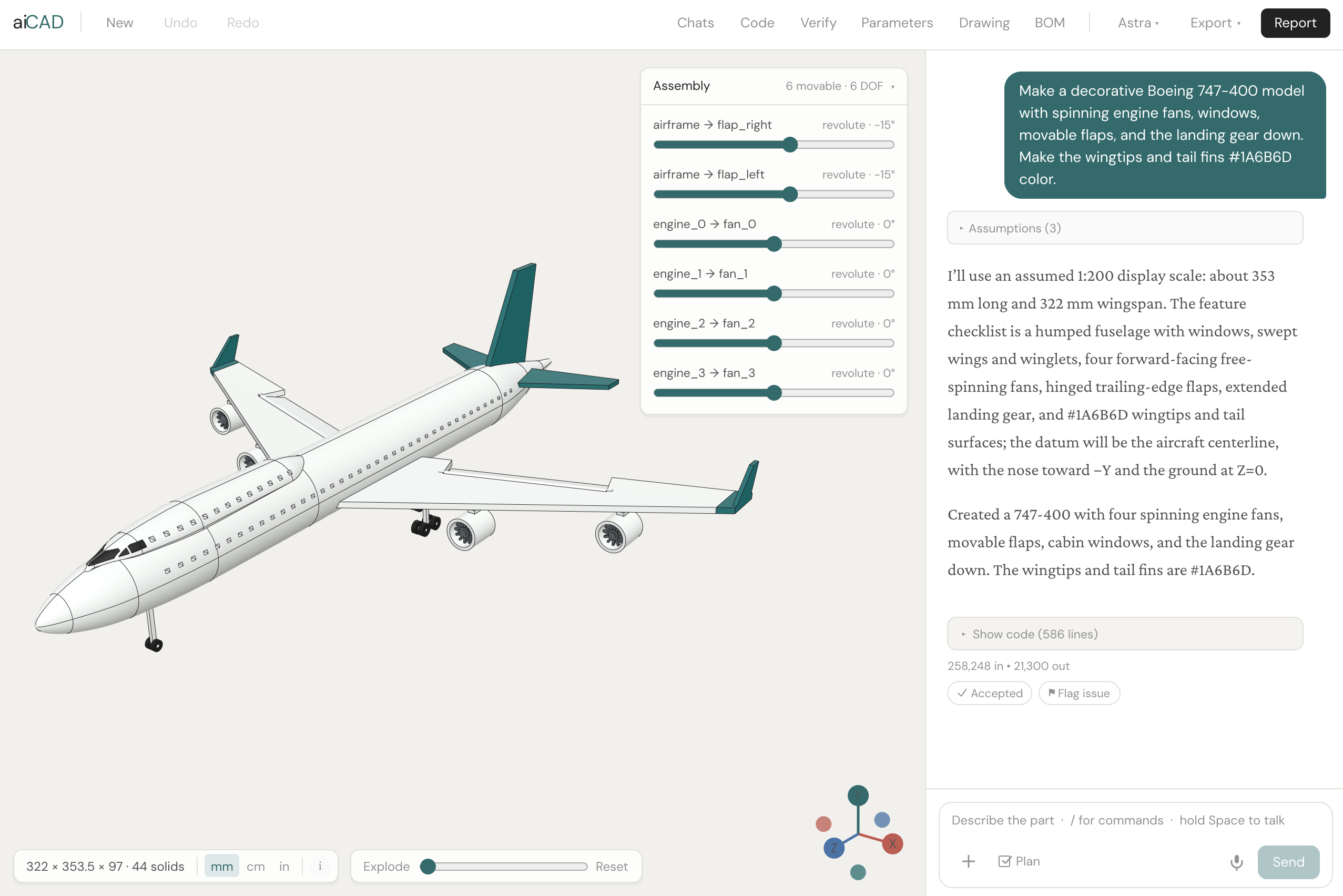
aiCAD is a CAD platform that uses LLMs to translate natural language part descriptions into CAD code, then executes that code to produce an editable 3D model. Designs can be refined through conversation, parameter controls, or linked engineering drawings, with support for assemblies, motion, and analysis. I built the generation and repair system and the modeling workspace that connects these workflows as a design changes.
The Concept
CAD presents different obstacles across the spectrum from nontechnical users to experienced designers. For someone with an idea but no modeling experience, the learning curve and cost of professional software can be prohibitively high. Conversation lets them start by describing the part rather than learning a modeling interface. For experienced designers, the benefit is speed; LLMs can write CAD code faster than we can model the same geometry manually in SolidWorks.
LLMs have become capable enough at writing code that programmable CAD is practical, but the available tools still fall short of what I want for mechanical design. I started aiCAD to turn that capability into editable mechanical designs.
Generation & Editing
A design starts with a written or spoken description, optionally supported by reference images. These inputs rarely specify every requirement: an image can establish form without scale, while a familiar part name can imply dimensions and features the user never explicitly describes.
I chose an iPhone case as a test because the geometry should be straightforward to model manually, but time consuming enough for LLM generation to offer a clear speed advantage. The request was "Make an iPhone 17 Pro phone case, with Magsafe ring + Om symbol within the Magsafe ring". Naming the phone implicitly specifies its dimensions and cutouts. The redesigned camera opening and relatively recent Camera Control cutout made this a test of current product geometry as well as dimensional accuracy, with requirements that were easy to inspect.

Early generations misplaced the Camera Control cutout or used the wrong camera opening. Some also substituted the wrong Om symbol, violating an explicit instruction rather than missing an implicit requirement. I've found that LLMs generate CAD well when they have the necessary information; the phone case shifted my testing toward how well they recover design intent that users assume is understood.
That testing led me to expand clarification, retries, and best of 3 generation. These address different sources of error. I made clarification selective: ask when missing or contradictory information materially affects the design, and disclose defaults for less consequential choices. Asking about every feature would make this feel like a setup form or SolidWorks interface. Retries and generating several candidates provide alternatives to an unsuccessful attempt, but do not substitute for missing information.
The initial model is also a starting point for revision. Conversation suits structural changes such as adding a mounting flange or repeating a hole pattern; setting a known dimension to 24 mm is faster through a parameter control. I kept both interfaces, along with a code editor and face and edge selection for explicit geometric references. Selection avoids the ambiguity of locating a feature through a description that depends on the viewing angle.
Whether an edit changes a pocket, fillet, chamfer, or repeated hardware, it must preserve unrelated geometry. Thickening a bracket should not move its mounting holes unless the design defines that dependency. I carry existing requirements into subsequent revisions so each change extends the design rather than restarting it.
Geometry & Verification
Preserving those requirements means distinguishing valid geometry from a correct design. OpenCascade, the geometry kernel used by aiCAD, can build a valid solid containing a blind hole where a through hole was requested, while a render can conceal the same defect behind an external surface. I combined geometry checks with visual inspection in a closed loop system: detected defects can trigger a code revision, followed by regeneration and another evaluation.
Repair can itself introduce defects. In one generated pen assembly, a printability repair fused three intentionally separate components into one body. I added checks against previously satisfied requirements so a repair that fixes one issue can be rejected for breaking another. Tests also cover sequences of edits to catch regressions that only emerge after several revisions.
Those checks also have limits. If a requirement cannot be measured, that does not establish a defect in the design. I keep it unverified rather than classifying it as a failure, which would favor geometry the checkers can easily assess. It does not count as a pass either; a limitation of the verification system remains distinct from a confirmed modeling error.
The benchmark result measures a narrower requirement: whether generated code executes successfully. In a July 2026 evaluation, aiCAD achieved 98.5% execution success across 200 CADPrompt benchmark cases, with 197 producing a model. This does not establish complete adherence to design intent or isolate the contribution of repair; geometric comparison against reference models remains a separate evaluation.
Parameters & Drawings
aiCAD generates dimensioned engineering drawings from the 3D model. I linked supported drawing dimensions to the same CAD parameters used by the parameter panel, so editing either updates the 3D model and regenerates the drawing. Sliders support proportion changes, while exact inputs control dimensions that must fit mating parts.

The distinction between driving and derived dimensions limits what should be editable. An overall length may depend on several features; measuring it does not establish which feature should change. I expose supported parameter links rather than presenting every measurable distance as an independent control.
Orthographic and isometric views establish external geometry, while section and detail views expose internal or small features. Hole callouts, tolerances, fits, datums, and GD&T communicate requirements beyond nominal dimensions. Projection, scale, and units are adjustable, along with sheet layout and annotations.

Linking the model and drawing also creates a software consistency problem. A parameter rebuild can overlap a drawing update or export request, but the viewport, drawing, and downloaded file must represent the same design revision. I added revision checks to prevent delayed results from replacing a newer model, and made drawing exports wait for pending edits. Unsaved drawing changes block export rather than silently being omitted.
Assemblies & Motion
In an assembly, revisions must preserve component relationships as well as individual dimensions. I added distinct components connected by joints, with rotational and sliding motion and coupling between moving parts. Meshing gears require compatible center distances and coupled rotation; checking interference only at the initial position misses collisions elsewhere in the mechanism's travel.

Exploded views with nested groups expose the component arrangement, while standard views, face and edge selection, measurements, and overall dimensions support geometric inspection. These controls matter particularly for generated assemblies, where the user has not constructed each feature and cannot rely on that familiarity when reviewing the result.

Analysis & Manufacturing
Evaluating a design under load requires material properties and boundary conditions in addition to geometry. Materials can be assigned through conversation, and I implemented linear static analysis with stress and displacement visualization, factor of safety, buckling checks, and mesh convergence feedback. The current analysis workflow accepts single solids; load transfer through assemblies remains outside its validated scope.
I checked load scaling with a cantilever test: halving the applied load halved the calculated deflection, consistent with linear theory. Mesh convergence needs a different interpretation. A rising peak stress near an idealized fixed support can reflect a singularity rather than increasing physical accuracy, so the interface retains warnings needed to interpret the result.

Manufacturing adds constraints that depend on the selected process: a printable internal feature may be inaccessible to a cutting tool. I added checks for wall thickness, hole sizes, overhangs, draft, and process limits, with explanations and suggested changes. The process can be revised through conversation as the design develops.
The bill of materials collects these material and process choices alongside component quantities, mass, and estimated cost, grouping repeated parts. Cost is an estimate rather than a supplier quote; low material volume does not imply low machining cost when a part requires multiple setups or inaccessible features. Missing material or process information remains unresolved rather than producing an unsupported estimate.
CAD Workspace & File Exchange
The browser workspace preserves designs and their conversations in separate sessions, without a desktop CAD installation. Users can choose the model and provider, including access through personal API keys.
A conversational edit can affect several features at once. I added undo and redo so users can reverse or restore a revision without asking the LLM to reconstruct it. Recovery lets them resume after an interruption, while cancellation, progress feedback, and in app error reporting make the state of an ongoing operation explicit.
Import and export let aiCAD participate in an existing workflow rather than requiring every design to originate and remain in the browser. STEP and STL imports provide existing geometry; STEP export supports further CAD work, while STL and 3MF serve printing, including a local slicer handoff. Drawings export as SVG or PNG, and PDF where supported; bills of materials export as CSV.
These formats preserve different information: a printable mesh is not a parametric model, and geometry export does not recreate another application's feature history. The appropriate handoff therefore depends on what happens next; faster generation offers less advantage if the receiving designer must rebuild the part to make the next change.